Let’s make drums in VCV rack using only the stock modules
https://www.youtube.com/watch?v=ZKe5joVkvm4 Channel: Your Pal Rob
Simulate a kick
- Trigger source = SEQ 3
- VCO
- VCA
- 2 envelopes
- mixer
-
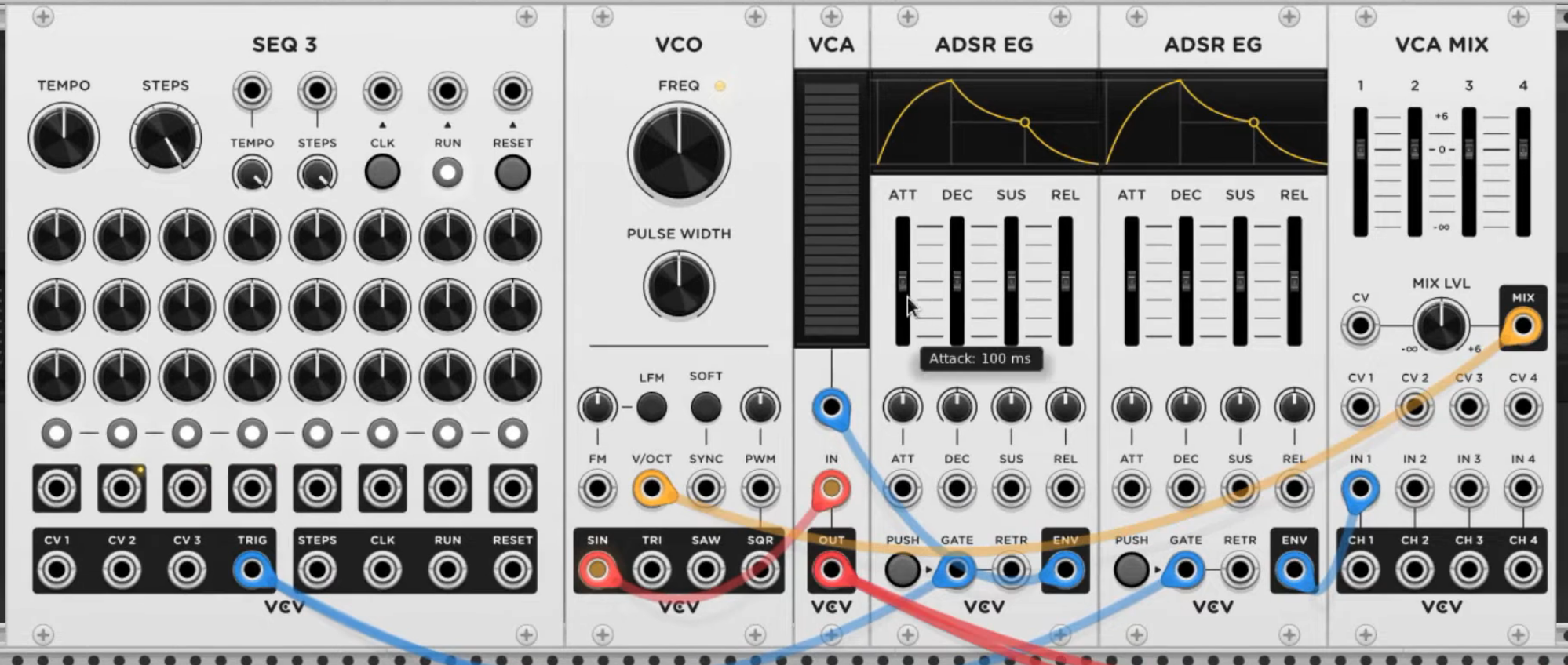
Connect the VCO sine wave to the input of the VCA.
-
Trigger source from SEQ 3 will provide gate for both envelopes. One envelope output goes into VCA CV input. Other envelope output goes into input 1 of mixer.
-
Mix output patched to VCO v/oct input.
-
Adjust the envelopes: reduce att, dec and sus all the way down on both ADSRs. Turn mixer slider 1 down until you hear something.
-
Turn VCO knob down until the sound is right.
-
Adjust release on ADSRs to get the right sound.
Simulate a high hat
- Trigger source = SEQ 3
- VCA
- VCF
- Noise source
- ADSR
- LFO
- Random
- Trigger into gate input of ADSR.
- Envelope of ADSR into CV input of VCA.
- Noise ouput into input of VCA.
- Ouput of VCA goes into the filter.
- HPF output of filter into Audio module.
- Reduce att, dec and sus all the way down. Give it just a bit of release.
- Turn filter cutoff on VCF up a bit.
- Press RUN on SEQ 3.
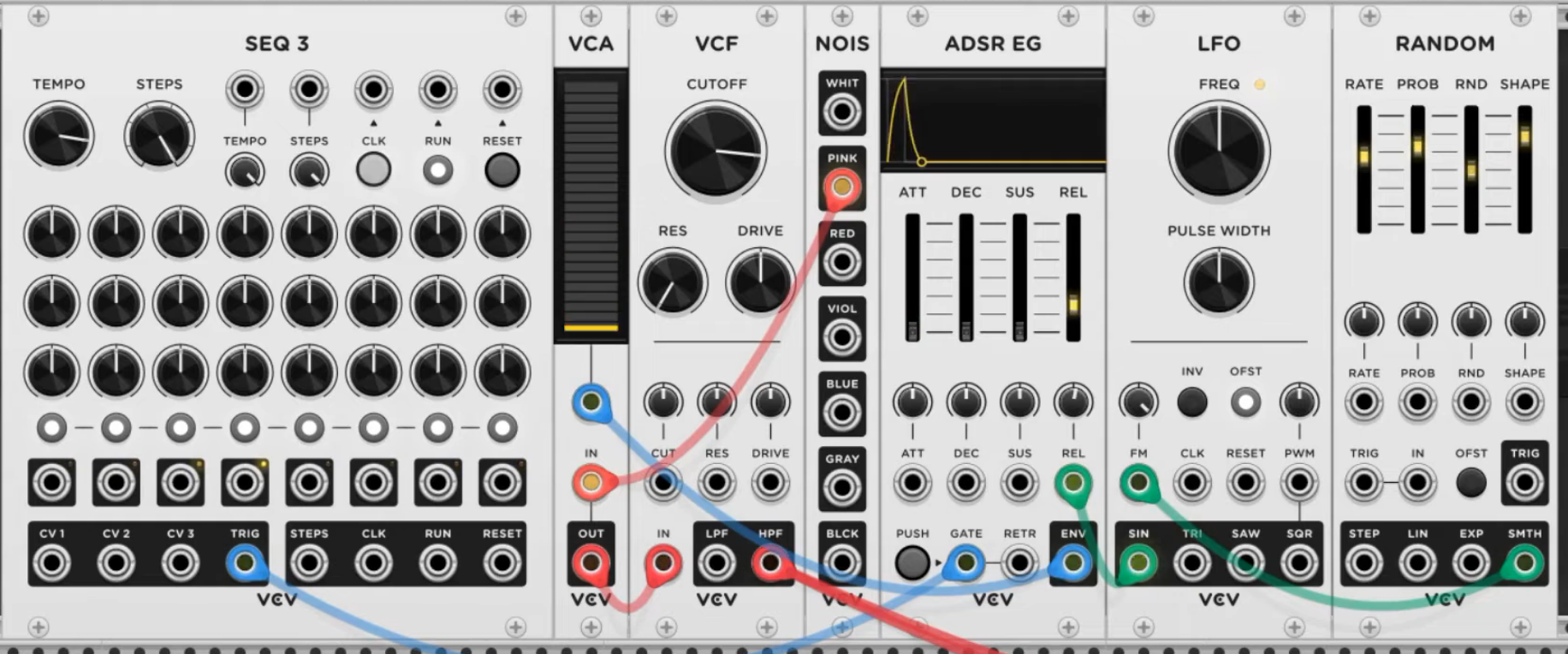
- You can use LFO and a Random module to control the release of the ADSR to get an open high-hat effect.
- Connect LFO sine wave output to release of ADSR. Turn up the attenuverter a bit.
- Connect the Smooth output of the Random module to the FM of the LFO. Turn of the attenuverter. Adjust the Random parameters to taste.
Simulate a snare
- Trigger source = SEQ 3
- VCA
- VCF
- Noise source
- ADSR
- Trigger of SEQ 3 to gate input of ADSR.
- Envelope out of ADSR to CV input of VCA.
- Noise source into input on VCA.
- Output of VCA goes into the filter.
- LPF output goes into the Audio module.
- Turn VCF cutoff up. Drive a bit down.
- ADSR: att, dec, sus all the way down. Release down a little bit.
Connect all three to the same Audio output via a Mixer Add a DELAY module for cool effects Add a Midi map module and use an external midi controller to turn knobs and sliders
VCV patch file: